Excel MarkBook
The VLOOKUP function
1
For this example we will open a new worksheet File | New... or use CTRL + N
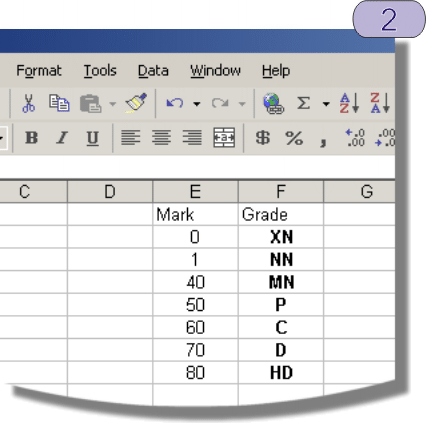
2 Create a lookup table with the
following values:
Mark Grade
0 XN
1 NN
40 MN
50 P
60 C
70 D
80 HD
Place the table at the top of the
E &
F columns ie from E1to
F8:
Theory:
VLOOKUP is short for
"Vertical lookup”
The VLOOKUP function is used to convert a numerical grade value to a text string.
In this example we are using University of Ballarat grades, eg:
Mark Grade
0 XN
1-39 NN
40-49 MN
50-59 P
60-69 C
70-79 D
80-100 HD
VLOOKUP uses a 2 column table. It looks up the value or range of values in the first column and replaces the contents of the cell with the corresponding value in the second column.