Excel MarkBook
Auto Fill
Auto fill automatically fills a
range of cells by continuing
a sequence.
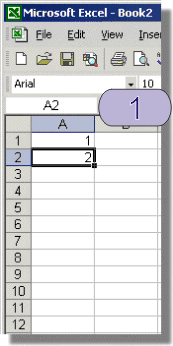
1
Establish a sequence. For this
sequence we are simply counting
by 1. Cell A1 contains
1 and A2, 2.
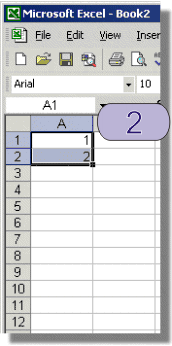
2
Select both cells in the sequence.
Click on the top cell and shift click
on the bottom cell in the sequence.
Caution:
Using Excel or any other form of electronic MarkBook has many advantages over paper based methods, including accuracy of calculations, the ability to search and sort records and the ease of duplication and distribution via e-mail to colleagues. There is however one major disadvantage of using an electronic Mark Book and that is the possibility of losing or corrupting data.
The most reliable way to reduce the risk of losing important computer files is to make backup copies. The method I use and recommend for this is to create Incremental File Names see page 107. A set of backup copies should also be held off-site, eg. keep a copy of the data at home as well as at school.
Do not rely on a single copy or a single location for important data. Computers and especially Notebook computers can be stolen or damaged. The most secure method of keeping a backup copy is to burn a copy on a CD-ROM and keep it away from the computer on which it was created. Another method is to keep a copy on a networked drive. Above all else do not rely on floppy disks as they often fail. If you must use a floppy disk to store important files make at least 2 copies.